Your NFTs and token-bound accounts
Browse your NFTs by collection, read floor prices, and see what’s inside an NFT’s own wallet.
The NFTs tab shows every NFT across your ticked wallets and all four chains, with what they're worth at floor.
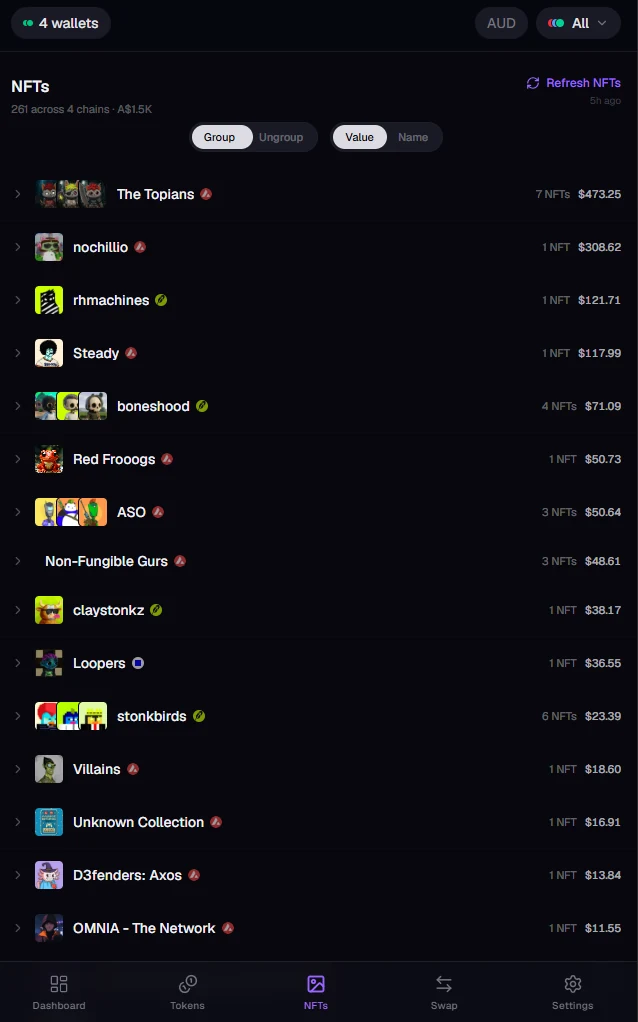
Browse your collection
- Group / Ungroup switches between collections and individual NFTs.
- Value / Name sorts by what they're worth or alphabetically.
- Each collection shows its chain badge, how many you hold and its value.
- Refresh NFTs fetches your latest NFTs and prices.
Open an NFT
Tap any NFT for its details: the full image, description, traits and floor price. From there you can save or copy the image, refresh its metadata if it looks out of date, or hide the whole collection.
Token-bound accounts
Some NFTs own a wallet of their own (ERC-6551). Kist finds these automatically and marks the NFT with a TBA wallet badge. When it can price what's inside, the badge shows the value; when something inside has no reliable price, it's marked as unpriced.
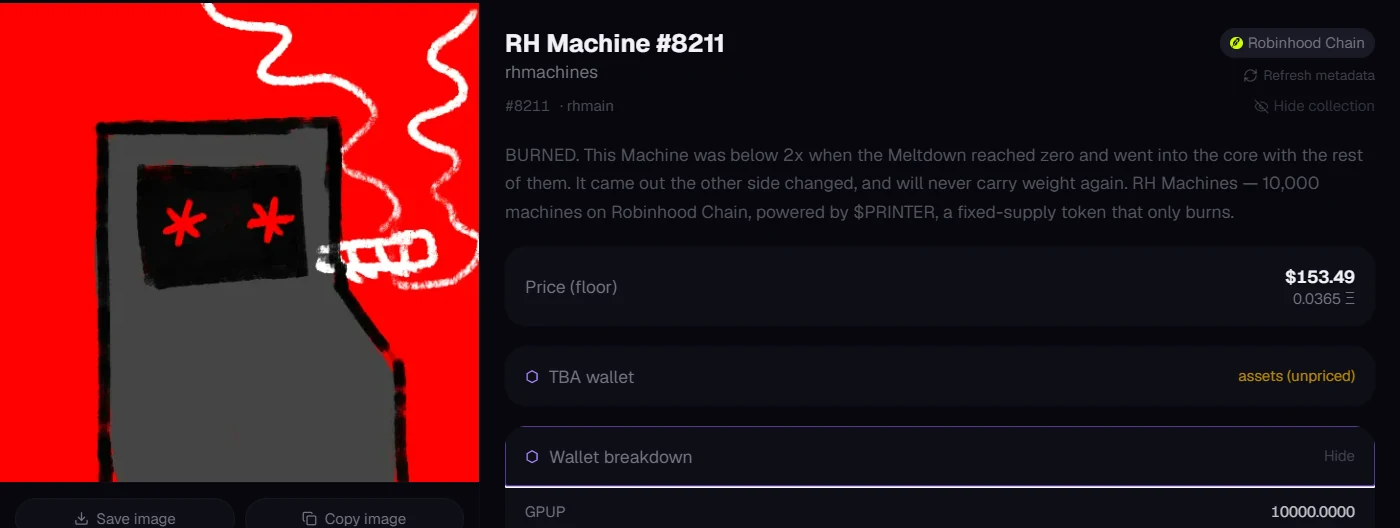
Open the NFT and tap Wallet breakdown to see every token and NFT inside, plus the account's address. Remember: selling or sending the NFT hands over everything in its wallet too.
Still stuck, or found something broken? Tell Simon on X: @SimpleSimon872