Your Robinhood Chain portfolio, stock tokens included
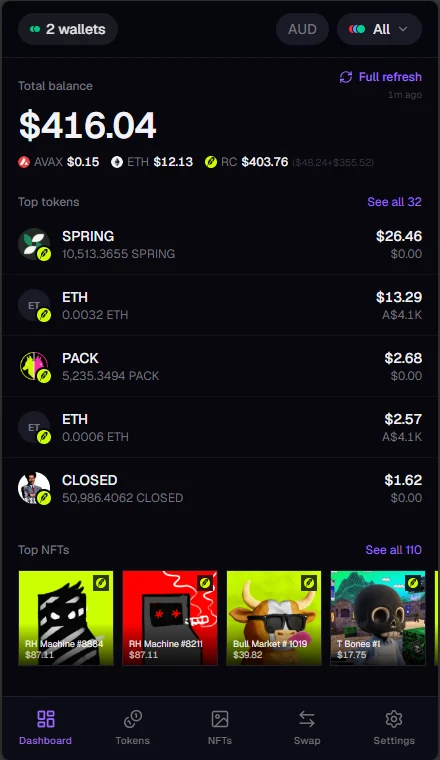
Kist treats Robinhood Chain as a first-class chain. Add any address and see its tokens, tokenised stocks, NFTs and token-bound accounts, priced and added to the same total as your Avalanche, Ethereum and Base holdings.
Everything at the address, priced
Kist reads Robinhood Chain directly and lists every token at the address, from ETH to small community tokens, each with its price and value.
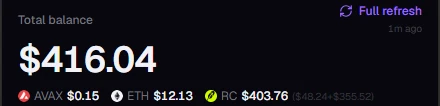
Tokenised stocks (ERC-8056) are recognised and priced like any other holding, and counted in your total. Your Robinhood Chain subtotal sits next to the other chains at the top of the dashboard, and the chain filter narrows everything down to Robinhood Chain alone.
NFTs with their floors, and their wallets
Your Robinhood Chain NFTs are grouped by collection and priced at floor. Some collections on the chain give each NFT a wallet of its own, called a token-bound account. Kist spots those and shows what's inside, so the value an NFT is carrying doesn't go unnoticed.
How Kist shows token-bound accounts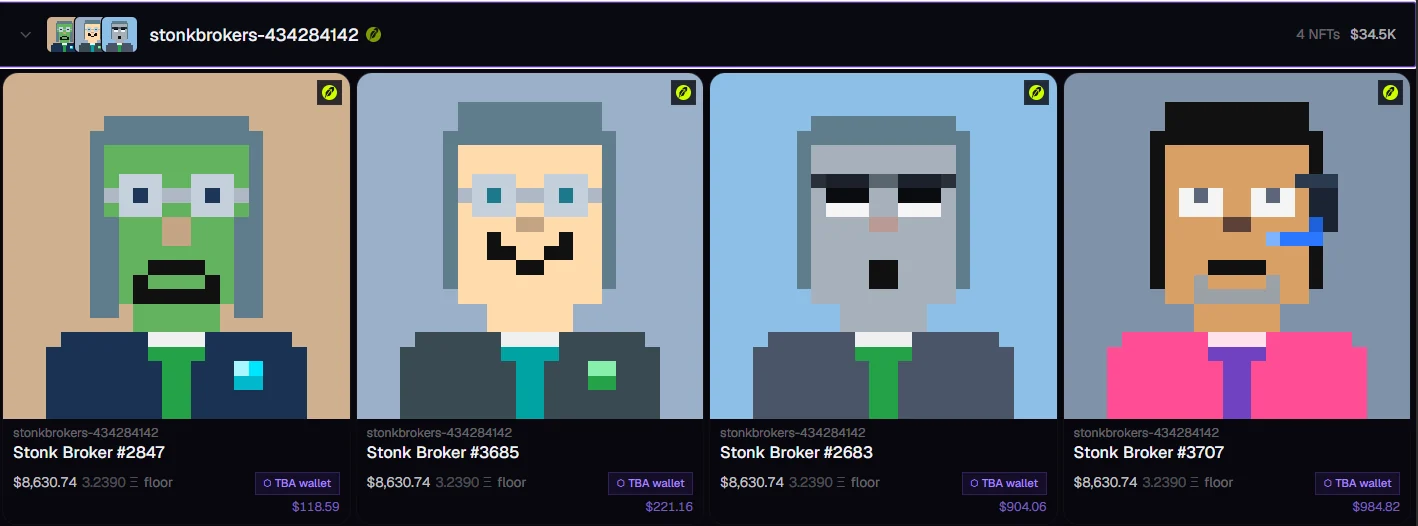
Swap your way onto Robinhood Chain
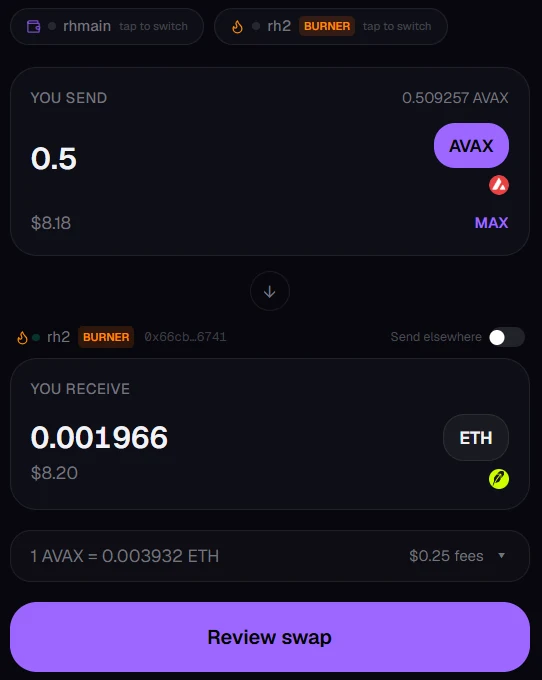
Connect a wallet with WalletConnect and you can move funds onto Robinhood Chain from the other chains in one step. Swap AVAX on Avalanche straight into ETH on Robinhood Chain, for example, with routes from Li.Fi.
You see the rate and the fees before you review, and you can send the result to a different address of yours. Every transaction is approved in your own wallet, never by Kist.
Start tracking in a minute
- Open Kist. It runs in your browser; there's nothing to download or sign up for.
- Add your address. Tap the wallet button at the top, then Add wallet and Watch address, and paste in your Robinhood Chain address or ENS name.
- Look inside. A standard wallet address is the same on every chain Kist supports, so Robinhood Chain shows up alongside the rest. Use the chain filter to see Robinhood Chain on its own.
Common questions
Does Kist connect to my Robinhood account?
No. Kist reads public blockchain addresses; it never logs in to Robinhood or any exchange. It shows what's held at the addresses you add.
Can Kist move my funds?
Not from an address you're only watching. Adding an address lets Kist read its public balances, nothing more. To swap or bridge you connect your own wallet, and you approve every transaction there. Kist never asks for your recovery phrase or private keys.
What are stock tokens?
Tokens on Robinhood Chain that represent shares in a company, following the ERC-8056 standard. Kist recognises them, prices them and includes them in your total, just like any other token.
Which other chains does Kist track?
Avalanche, Ethereum and Base, with tokens, NFTs and token-bound accounts on every one. All of them add up into one balance.
See your Robinhood Chain holdings
Paste in an address and it's all there, stock tokens and all.