Getting started with Kist
Open Kist, add your first wallet and find your way around the dashboard in a couple of minutes.
Kist tracks your crypto across Avalanche, Ethereum, Robinhood Chain and Base in one place. There's no account and nothing to download: it runs in your browser.
1. Add a wallet
Open Kist and tap the wallet button at the top
When you have no wallets yet, it says Add wallet. It opens your wallets screen.
Tap Add wallet and pick how to add it
Watch address tracks any wallet from its address or ENS name, read-only. Connect wallet links a wallet you own so you can also swap and bridge.
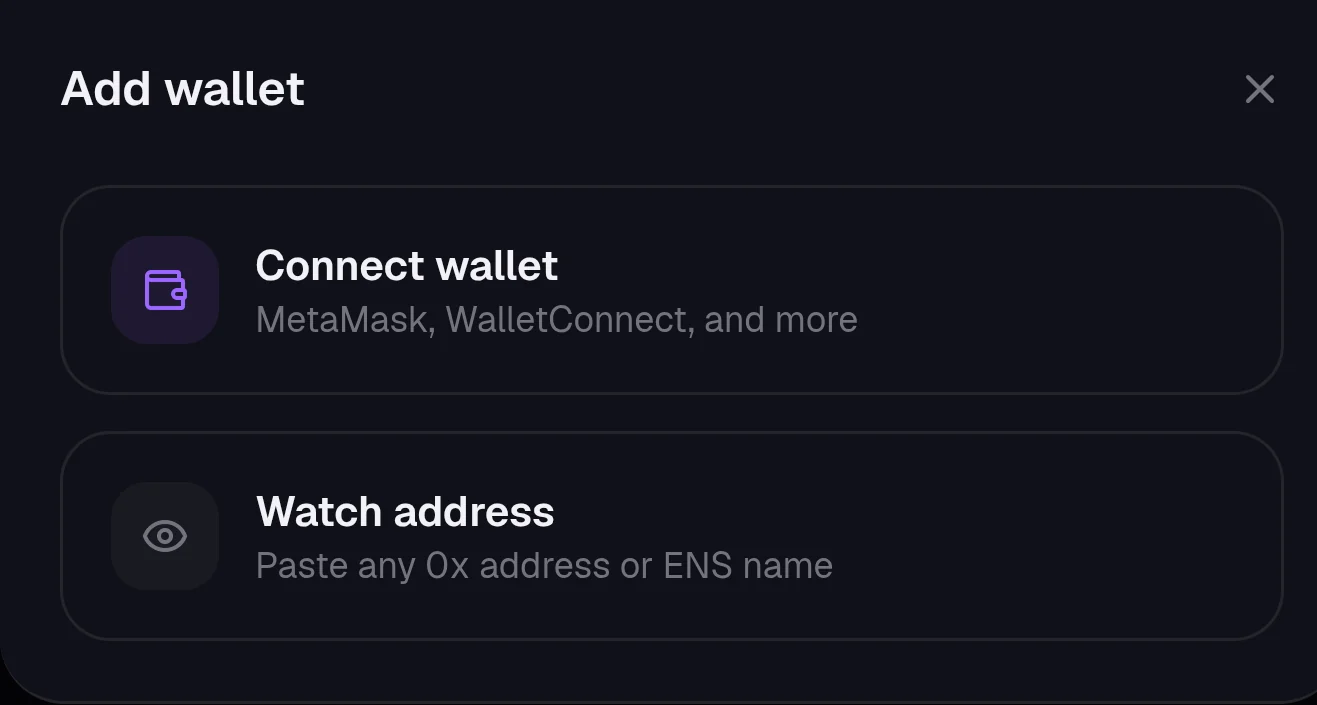
Not sure which? Start with watching an address. You can connect it any time later.
2. Read your dashboard
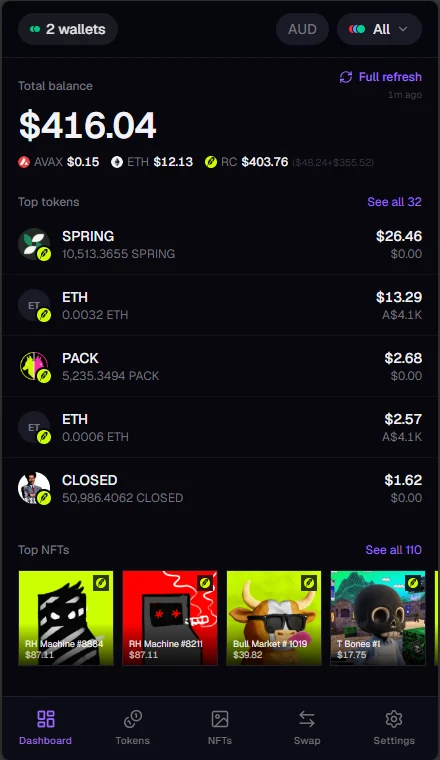
- Total balance adds up every wallet you've ticked, with each chain's share underneath.
- Top tokens and Top NFTs show your biggest holdings. See all opens the full list.
- Full refresh fetches fresh balances and prices. The time below it shows when they were last updated.
3. Find your way around
- The wallet button (top left) shows which wallets are counted, and opens the wallets screen.
- The currency button switches values between USD, AUD and ETH.
- The chain filter (top right) shows all chains, or just one.
- The bottom bar takes you to Dashboard, Tokens, NFTs, Swap and Settings.
NextWatch a wallet address
Still stuck, or found something broken? Tell Simon on X: @SimpleSimon872